Google W3onlinesource
Showing posts with label CSS application. Show all posts

May 19, 2011

A CSS class as link with image and text inside it-I have done it !

0 comments
After hours of hectic try,at last I have done this.

A css class with text and image thumbnail inside it is possible but I wanted to make the whole class linked.

This feature I saw in some websites,I liked it.I was planning to use this in my post sitemaps.
a class as a link with image and text inside it

A thumbnail image plus a title and some text-link to a specific post that would be looking great.


May 9, 2011

How to show raw codes like html css javascript in blogspot or website

0 comments
You can not separate water in water.To separate you need to make some water in to ice that you want to separate.thats it.

To show web development codes like html ,CSS ,Javascript in webpages is not possible simply.As this codes are used to make this webpage.

To show html ,javascript ,CSS in webpages html entites must be encoded.Well you don't need to do this manually.There is website to do this.

May 8, 2011

A simple image caption with html table

0 comments
I wanted to have image caption in my images.Tried with simple CSS and worked fine.But sadly it didn't work with Internet explorer.

To work with internet explorer image caption CSS need to be declare the width and height,other wise it show messy.The image remain same but the class take the whole are dropping every other object below.The declaring of width and height of CSS div for image caption is hell of a hectic job.

I just wanted to have an image with caption that can be float left or right and other object floating beside or around it.Thus I find old conventional html table more usable.

May 6, 2011

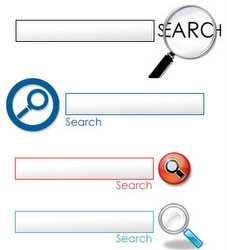
Best 3+ search box search code for blog website

0 comments
How to place place adsense search box in blog,how to place search box in blog ,website-was I looking for.Then I found the solution.

Search box within a website,thats an important feature.To contain a visitor browsing through pages search box optimization is one of the tools and thats a fact.When user intend to look for something and if it is there and they find easily ,thats a bonus.And this can be done by placing a search box.


search box code and basic

There are several options for a search box.Generally it is of two types.

One is search a topic within the blog or website , it may be named as local search.If there is any related topic in your website or blog this will be shown in the search result.

Another is search this topic within the entire world ;for this best option is GOOGLE search.In this case you are providing the user to search google in your website.In search result your blog or website entry may not come.