Google W3onlinesource
Showing posts with label Web code. Show all posts

May 6, 2011

Best 3+ search box search code for blog website

0 comments
How to place place adsense search box in blog,how to place search box in blog ,website-was I looking for.Then I found the solution.

Search box within a website,thats an important feature.To contain a visitor browsing through pages search box optimization is one of the tools and thats a fact.When user intend to look for something and if it is there and they find easily ,thats a bonus.And this can be done by placing a search box.
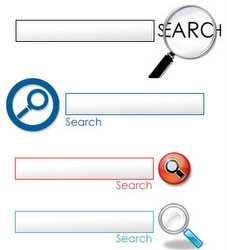

search box code and basic

There are several options for a search box.Generally it is of two types.

One is search a topic within the blog or website , it may be named as local search.If there is any related topic in your website or blog this will be shown in the search result.

Another is search this topic within the entire world ;for this best option is GOOGLE search.In this case you are providing the user to search google in your website.In search result your blog or website entry may not come.

May 1, 2011

4 + simple html that new web developer should know

0 comments
This post is not for the pro's.Only for the new bie web developer.Simple but effective html codes.

some simple html tricks and tips

I had been blogging in Blogspot,in the mean time I always tried to dig in the deeper options to make my blog like other best website.

for simple content management you don't need to know deeper web codes of html,css,javascript.but a few code knowledge will help you to build content more efficiently.

Sep 27, 2010

Google search box within website-Adsense integrated

0 comments
Many web developer prefers to place a Google search box in website.
When the visitor search by Google search box ,the search result is fetched from Google search indexing of the website,not from the website.

Hint text in search box removes by clicking

0 comments
Hint text in search box is a helpful and recommended feature.As new visitor may not know what to do with search box.
But simple hint text has this limitation that ,the hint text has to be deleted manually.
A automatically removal of hint text is so expected and its so easy.

Hint text in Search Box

0 comments
A hint text inside the search box is Good practice.
How about, "Type here then press okay" or "Search this blog"

Sep 25, 2010

How to declare font in website

0 comments
You have to declare font for website.But one thing keep in mind that  though you have declared,the font must be also present in the user's system or computer.

Use "Courier" font for code display in website

0 comments
Courier is the best font to display codes in websites.

Make colorful html table with only CSS

0 comments
This is a little bit of messy,but the outcome is so sweet.Once you make ready a table ,you can reuse it again and again.

Sep 13, 2010

Javascript character counter

0 comments
This is a simple javascript code that count the number of character in the text area.

Aug 20, 2010